第一人称发射爆炸粒子
1,首先引入标准资源包中的“第一人称”、“粒子素材”
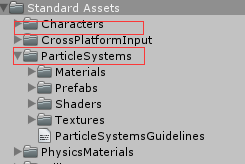
2,创建场景
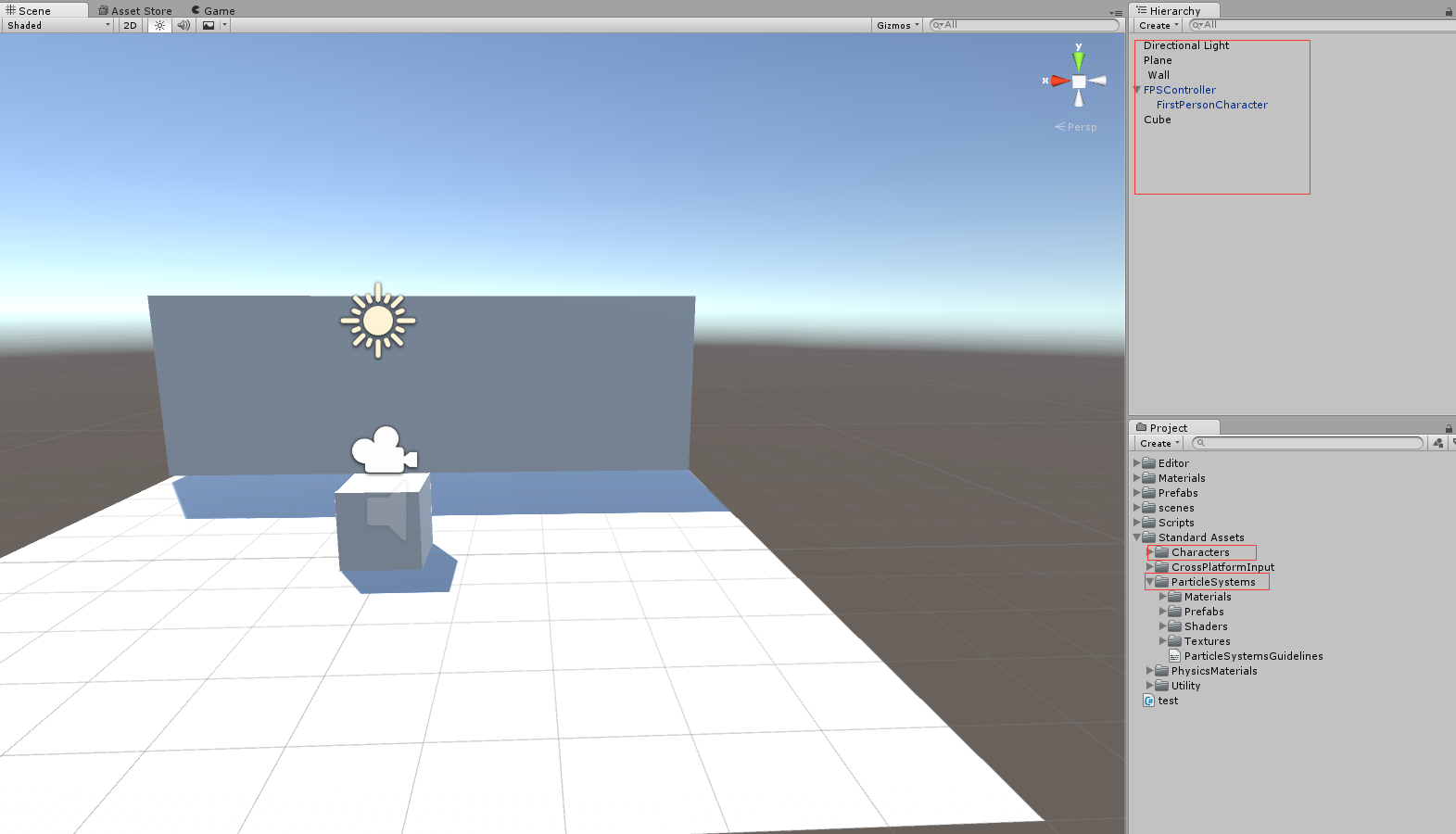
3,在FirstPersonCharacter对象上附加Manager.cs脚本
using System;
using UnityEngine;
using System.Collections;

public class Manager : MonoBehaviour {

    //准备发射出去的东西
    public Transform _arrow;

    // Update is called once per frame
    void Update() {

        if (Input.GetButtonDown("Fire1"))
        {
            var e = Input.mousePosition;

            //第一人称相机根据鼠标的点击的坐标转化成世界坐标 默认为(x,y,0)
            var world = new Vector3();
            Camera camera = transform.GetComponent<Camera>();
            world.x = camera.ScreenToWorldPoint(e).x;
            world.y = camera.ScreenToWorldPoint(e).y;
            world.z = camera.ScreenToWorldPoint(e).z;

            //根据鼠标点击位置和相机角度生成 arrow
            var n = Instantiate(_arrow, world, transform.rotation) as Transform;

            //将本地方向转化成世界坐标方向
            var fwd = transform.TransformDirection(Vector3.forward);
            n.GetComponent<Rigidbody>().AddForce(fwd * 150);

        }
    }
}
4,创建Arrow物体的prefab,他是一个简单的cube,在附件上对应的Arrow.cs,
 using UnityEngine;
using System.Collections;

public class Arrow : MonoBehaviour
{

    public GameObject pars;

    void OnCollisionEnter(Collision collision)
    {
        if (collision.gameObject!=null && collision.gameObject.tag == "wall")
        {
            GameObject.Destroy(this.gameObject);
            var particles = Instantiate(pars, transform.position, transform.rotation);
            GameObject.Destroy(particles,5);
        }
    }
}
他主要用来判断是否跟wall 层,碰撞了,如果碰撞Destroy自己,然后当前位置Instantiate 一个粒子对象,播放数秒后也销毁。
5,在在FirstPersonCharacter的inspect面板中关联好Arrow的prefab,Arrow的inspect面板关联Flare粒子,运行测试,可以看到点击鼠标就可以从视图的中间发射arrow,碰撞到“墙”爆炸了。

总结
ok效果还不错,如果把arrow换成鞭炮,场景换成过年的氛围,是不是会别有一番趣味呢。
这里涉及到两个比较常用的函数:
- camera.ScreenToWorldPoint , 他可以将鼠标点击的坐标(x,y,z)转化成世界坐标,其中z 可以随便修改成你希望的距离相机的距离。
- Transform.TransformDirection,将相对于transform物体的本地的坐标方向转化成世界坐标方向
同样的Transform.TransformPosition,也是相对于当前object返回世界坐标
void Start() {
        // Instantiate an object **to the right of the current object**
        thePosition = transform.TransformPoint(Vector3.right * 2);
        Instantiate(someObject, thePosition, someObject.transform.rotation);
    }
粒子的使用:
这里对粒子只简单的Instantiate,然后在规定时间后Destroy掉,并未涉及到对粒子属性的修改,下次再具体使用吧。